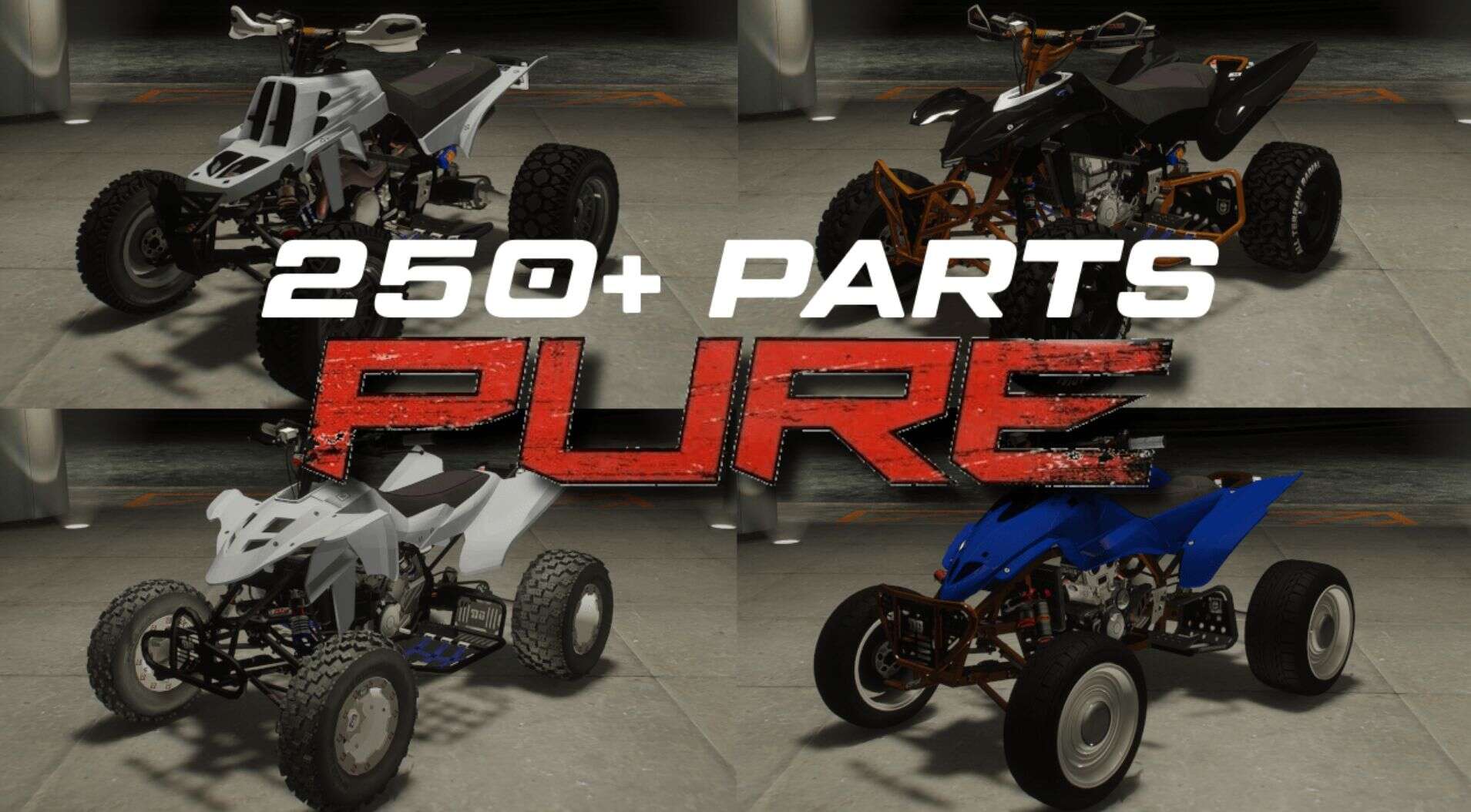
PURE
Quick Description:
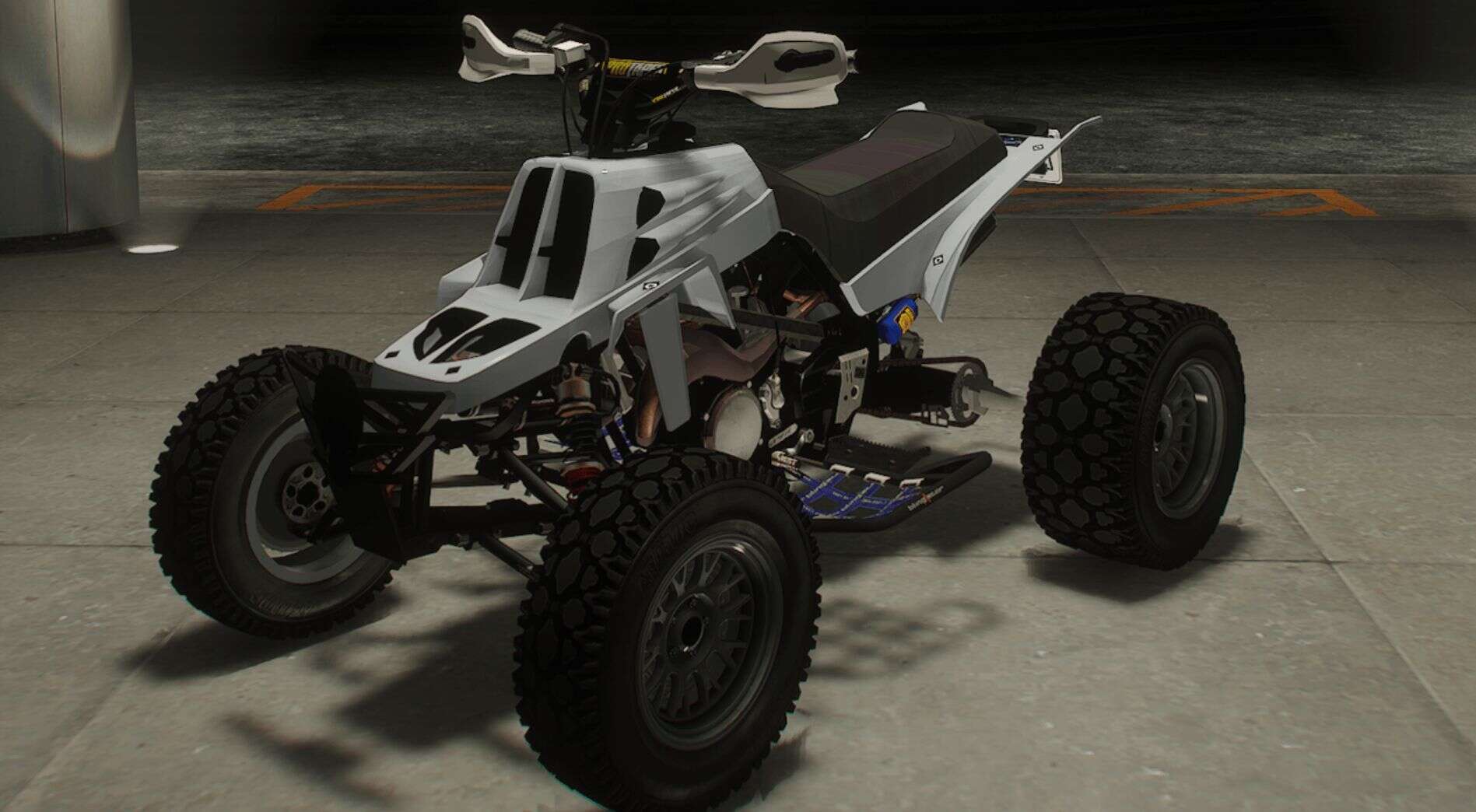
PURE is a quad racing game developed by Disney and Black Rock Studios, known for its deep customization and high-octane gameplay. I loved it as a kid—and I’ve always loved GTA 5—so I thought, why not bring them together? This mod is the result: a full-blown integration of PURE’s quad customization system into GTA 5.
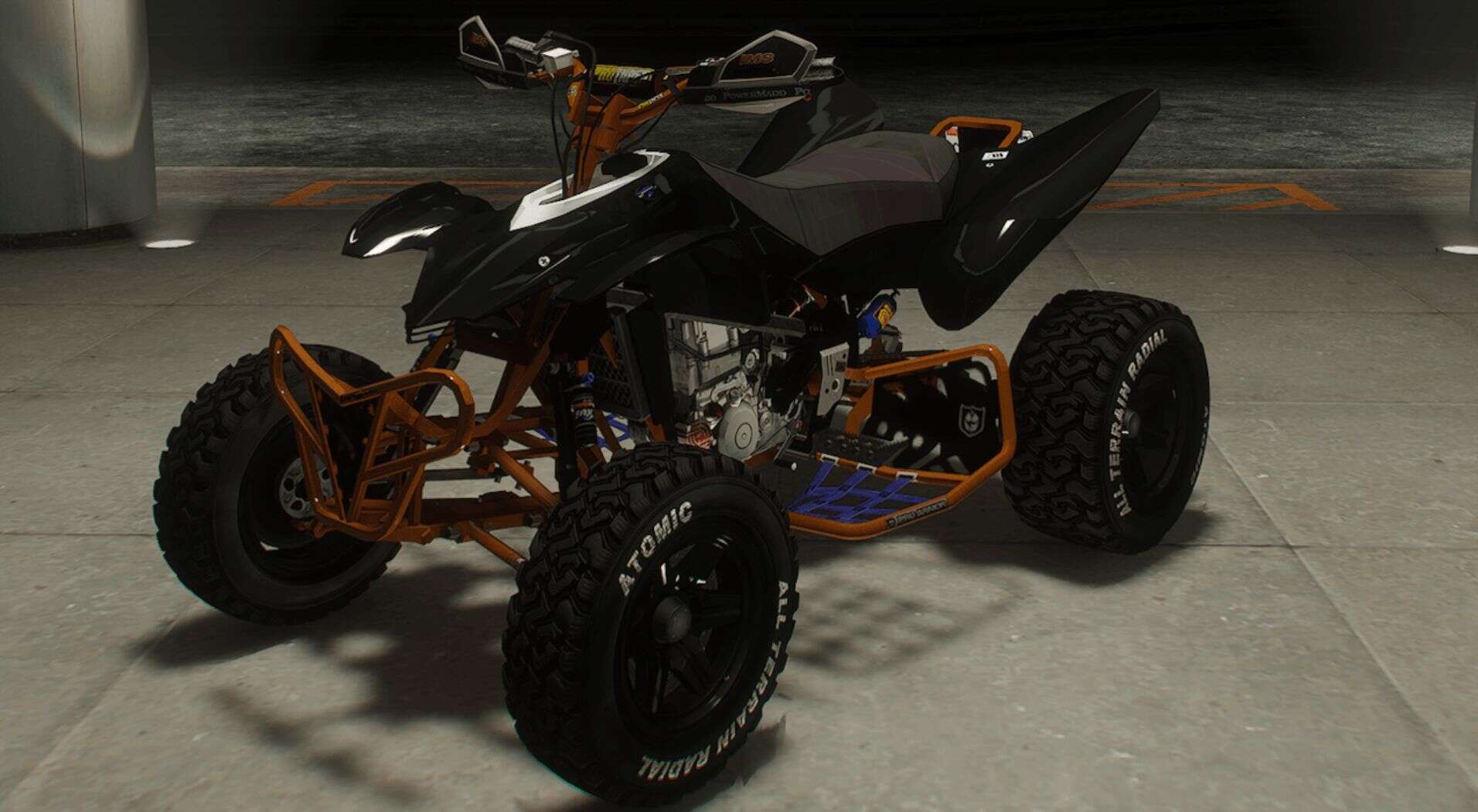
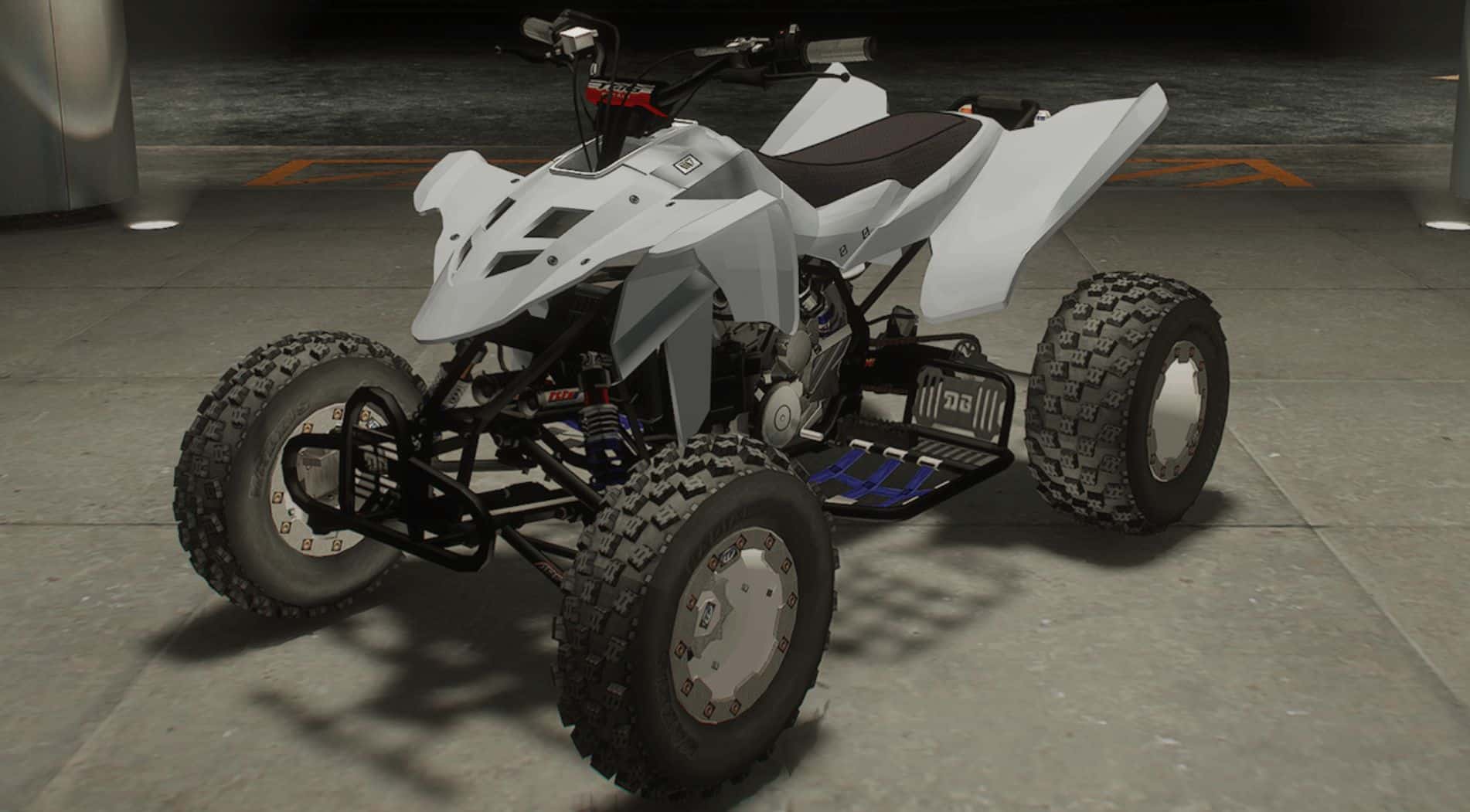
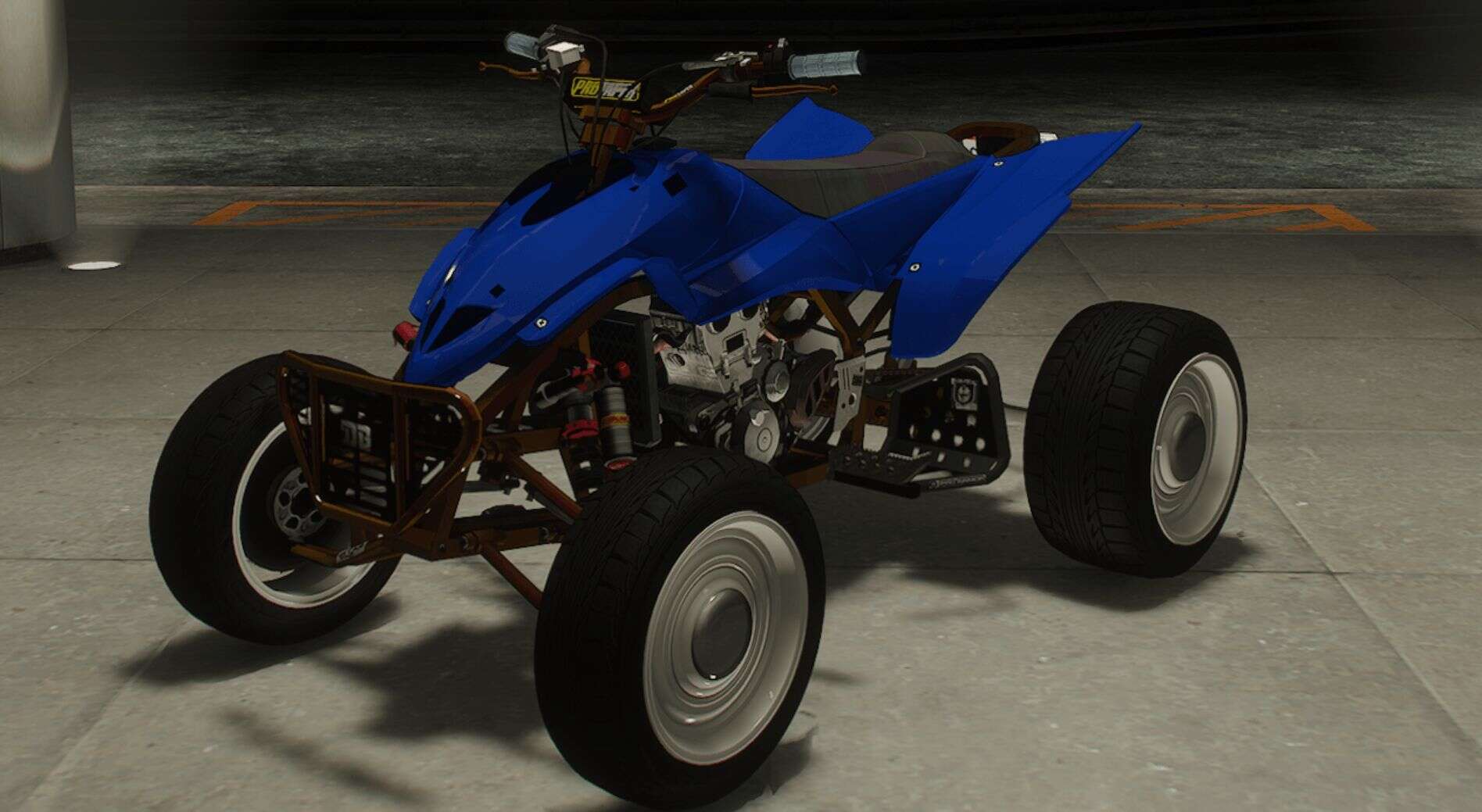
This pack includes over 250 custom parts, from the frame to the grips, faithfully recreated and formatted for GTA 5. It’s been a beast to get everything working properly—PURE’s modular system wasn’t exactly plug-and-play—but I’ve ironed out most of the major issues and I’m excited to release the first version.
Note:
This mod is still a work in progress. I’m happy with where it’s at for an initial upload, but there’s more to come. If you run into bugs or want something specific tweaked, let me know and I’ll prioritize it.
Vehicle features:
– Custom Bodies
– Custom A-Arms
– Custom Fenders
– Custom Engines
– Custom Nerf Bars
– Custom Seats
– Custom Handlebars
– Custom Radiator Scoops
– Custom Frames
– Custom Grips
– Custom Frame Guards
– Custom Swing Arms
– Custom Shocks
– Custom Handling
– Custom Brakes
– Custom Sprockets
– Custom Nos
– Custom Bumpers
– Suspension Custom Parts Link and Function Correctly!
– Custom Sounds
– Color1 Bodies
– Color2 Custom Parts
Known Issues:
– You have to use a mod menu to access all of the modifications in single player
– Due to game limitations some of the radiator scoops had to be sacrificed and one swing arm.
– One of the custom a-arms doesn’t load
– Some of the textures need some adjustment
Future Plans:
– Add more options for color variety
– Get it FiveM ready
– Decals and Custom Template
– Better Bump Maps and Textures
[This install method assumes you already have a mods folder setup and have a basic understanding of how to mod the game]
Installation: [Add-On for Legacy]
1: Open <a href="http://OpenIV” rel=”noopener” target=”_blank”>OpenIV
2: Go to the DLC location
Usually located here = “X:Grand Theft Auto V\mods\update\x64\dlcpacks”
3: Place the Add-On contents “pure” in this location
4: Locate the dlclist.xml
Usually located here = “X:Grand Theft Auto V\mods\update\update.rpf\common\data\dlclist.xml”
5: Right click and edit the file. (may have to click “edit mode” at the top)
Add this line at the bottom – dlcpacks:/pure/
6: Launch the game and spawn it in using your mod menu (trainer) of choice.
Spawn name = blazer4
Installation: [Add-On for Enhanced]
!!!THE ONLY WAY I AM ABLE TO GET THIS TO WORK IS WITH NATURAL VISION ENHANCED!!!
1: Once NVE is installed you will have a “onigiri” folder in your directory
2: Place the enhanced version of the PURE mod in the DLC folder
4: Locate the dlclist.xml
Usually located here = “X:Grand Theft Auto V Enhanced\onigiri\common\data\dlclist.xml””
5: Open and edit the file
Add this line at the bottom – dlcpacks:/pure/
6: Launch the game and spawn it in using your mod menu (trainer) of choice.
Spawn name = blazer4